
Passkeys let users log in with their fingerprint, face recognition, or device PIN instead of a password. They are resistant to phishing and can't be leaked in a data breach, because your site never stores a shared secret.
Requirments
How to Setup Passkey?
Step 1: Enable passkeys
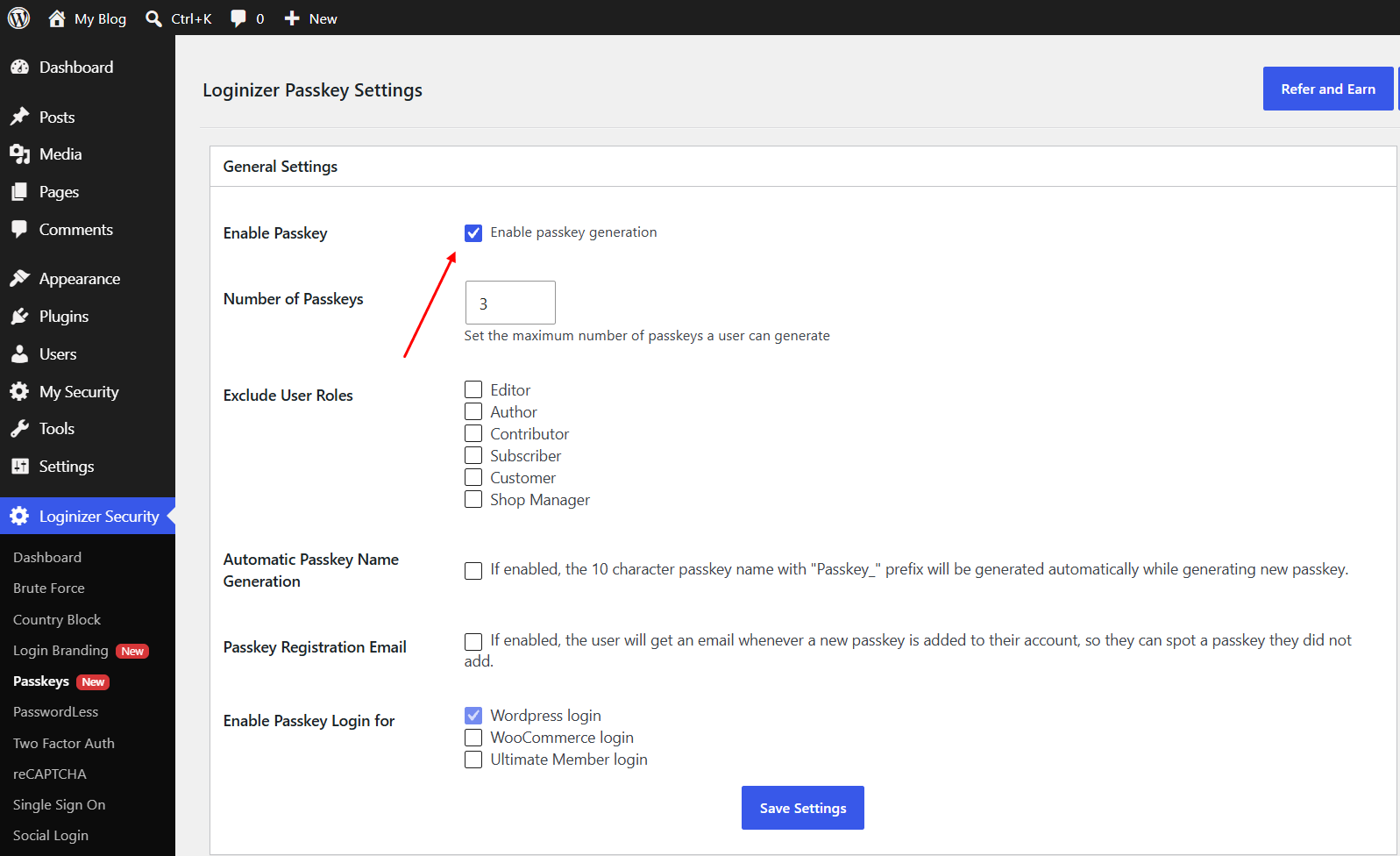
Step 2: Register a passkey
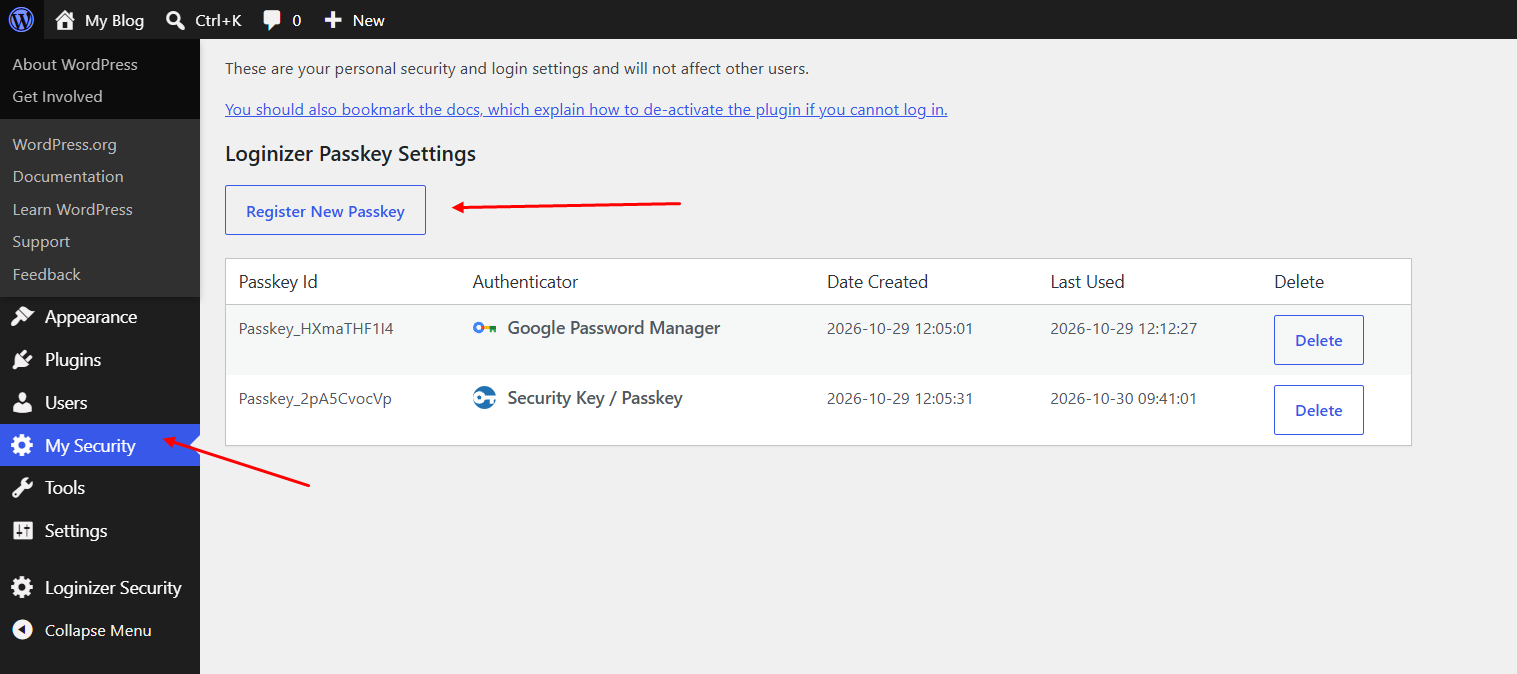
Each user registers their own passkey from My Security. Add one for every device you log in from.
Step 3: Log in with a passkey On the login page
On the login page, Click Login with Passkey, then confirm with your device.